

Exporting the Model
-
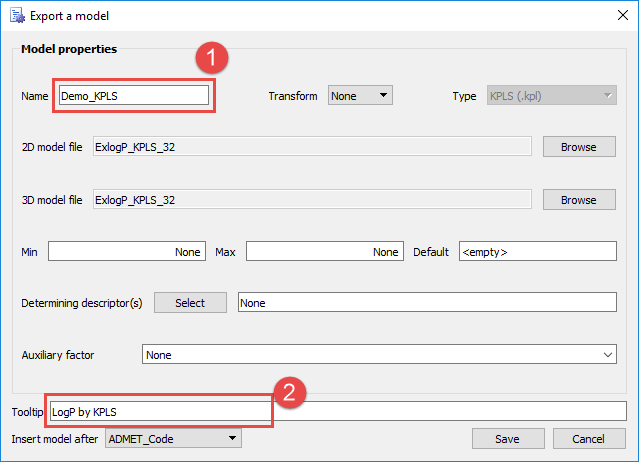
Right click on the best ensemble as determined automatically by ADMET Modeler, and click on Export model. The Export a model dialog box opens on top of the Model Performance Grid.
-
Do the following to name and identify the new predictive model:
- in the Name field (1), enter Demo_KPLS
- in the Tooltip field (2), enter LogP by KPLS
-
Click Save.
Upon returning to ADMET Predictor by closing Modeler and clicking on Yes in the Unsaved Data Warning window, the model has been added to the end of the User Models list. To see predicted values for your data when calculating ADMET properties, check the box User models. A new column with the model name will be added as the last column in the User Models spreadsheet view and just before any Descriptors in the All view.