

7.2.2. Output: Other File Formats (TXT, XLS, CSV)
ADMET Predictor provides multiple file formats where you can export the existing spreadsheet data without chemical information. These file formats include *.txt. *.csv and *.xls. In this tutorial, you will save unformatted selected columns in the molecular record spreadsheet to produce a tab-delimited text file named test.txt.
Similar steps can be followed to save the data within ADMET Predictor spreadsheet in the *.csv and Microsoft Excel readable *.xls file formats.
-
Open the Demo2D.smi file from the ADMET Predictor application directory and generate the ADMET Predictor data for the file as described in the tutorial Interactive Input: SMILES.
-
On the ADMET Predictor main menu, select menu
FILE>>Export
This opens a Save As dialog as shown below.
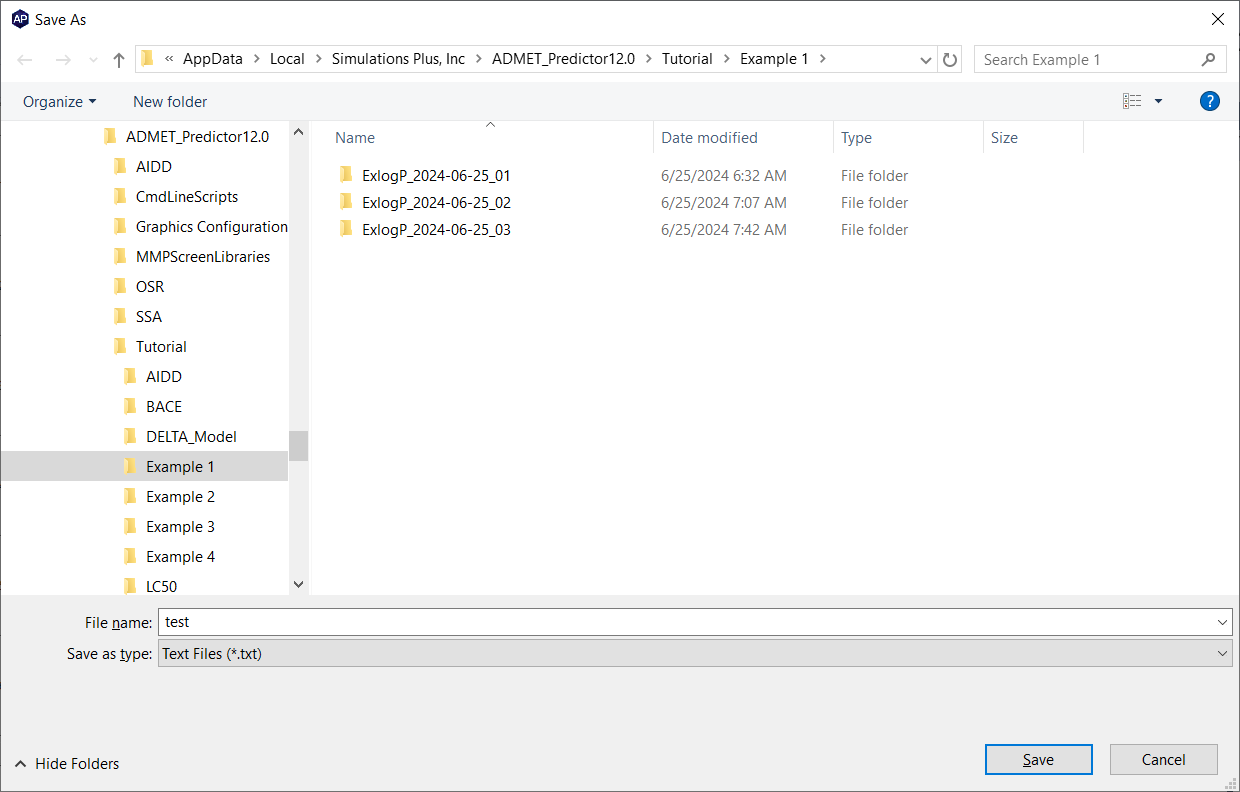
Provide appropriate name for the file (test.txt) Select Text files (*.txt) from the available options in the "Save as type" box.
-
Navigate to the folder when you want to save the file and click on button Save.
4. A new pop-up window "Export compounds to a file" is opened which provides you to select the attribute names to be save in the text file. Select the attributes from left box "Available attributes", you want to include in the file, and then click on the button "ADD >>". It will transport these selected variables in the right box "Attributes to export"
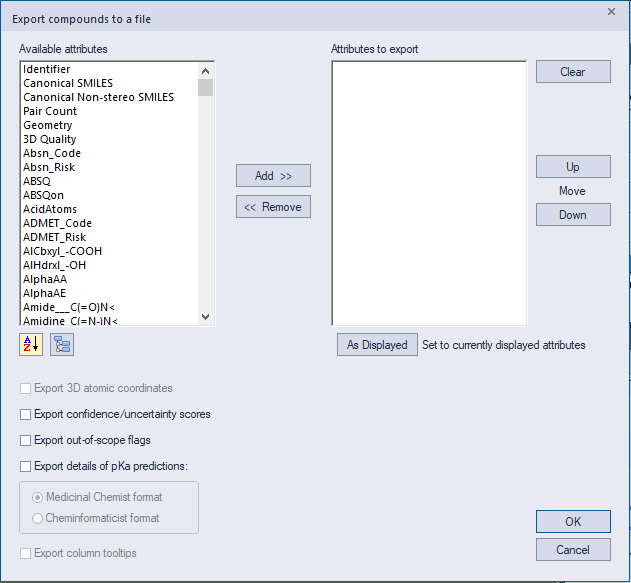
This dialog also provides options to rearrange these attributes by moving them Up or Down. Press OK to save.
Similar steps can be followed to save the spreadsheet in Microsoft Excel readable .csv, .xls as well as .xlsx formats.
NOTE:
For detailed information about the indicated topic, see the referenced chapters, section, and/or appendices in the ADMET Predictor User’s Manual:
-
Molecular record spreadsheet columns, see Output (Output Files and Spreadsheet).
-
Building new predictive models based on ADMET Predictor descriptors, see the ADMET Property Models chapter.