

-
In the Model Performance Grid window, click View Log File.
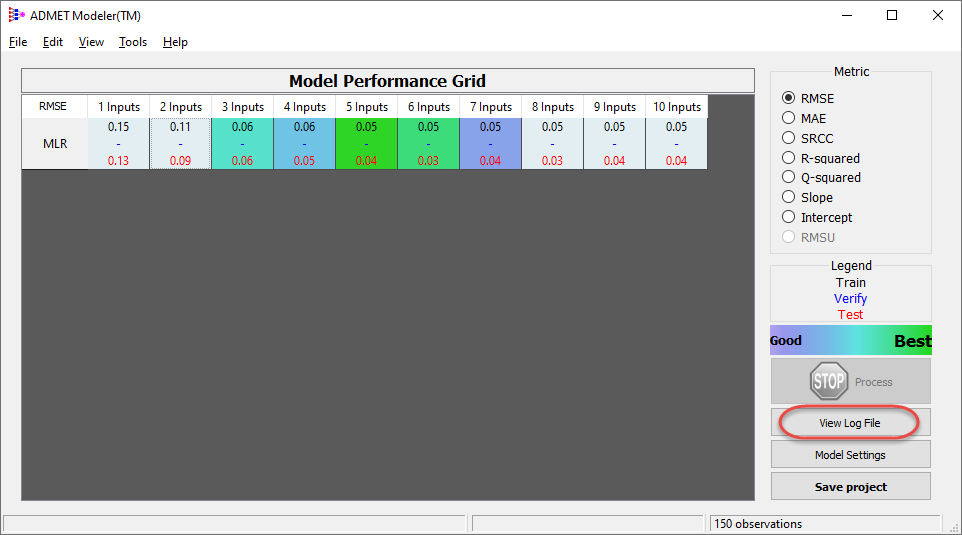
A text editor window opens. The log file for the most recent model building run (the MLR model) is displayed in the window.
-
Use the text editor to search for the string "Relative Sensitivity".
-
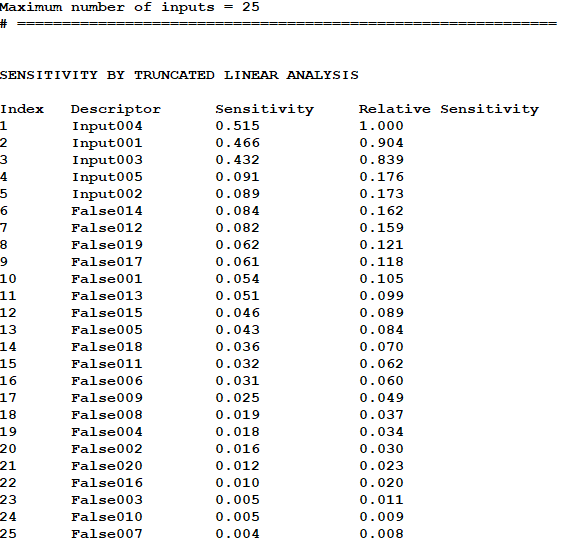
The display in the window advances to the search text. The text is automatically selected in the display.
-
Scroll the Descriptor Sensitivity list, and note how the descriptor selection method has worked quite well - all the true descriptors are ranked as the top five descriptors.
-
Close the text editor window.