

In this tutorial you will build Multiple Linear Regression (MLR) models using a synthetic data set that is stored in the Tutorial\Example2 folder in your ADMET Modeler applications directory. This data set contains 150 records, with each record containing 5 "true" inputs and 20 "false" inputs. The outputs are created with only the five true inputs. This tutorial is built on the previous section to create a cumulative effect.
If ADMET Modeler is already open, you will have to close it before you can run this tutorial. Be sure to save your work first if necessary.
-
On the ADMET Predictor main menu, click FILE >> Open and navigate to the Tutorial\Example2 folder. Open file Example2.smi.
-
Click on the neural net icon (

-
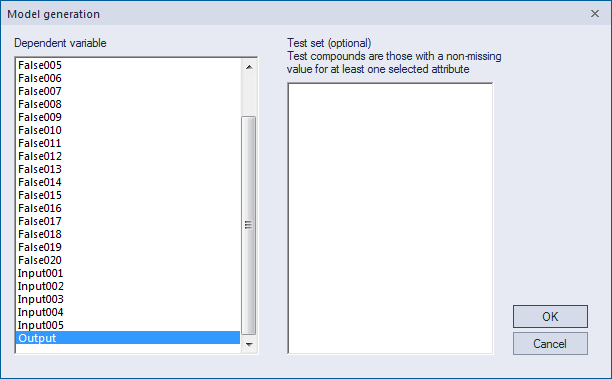
Select Output as a Dependent variable and click OK.
-
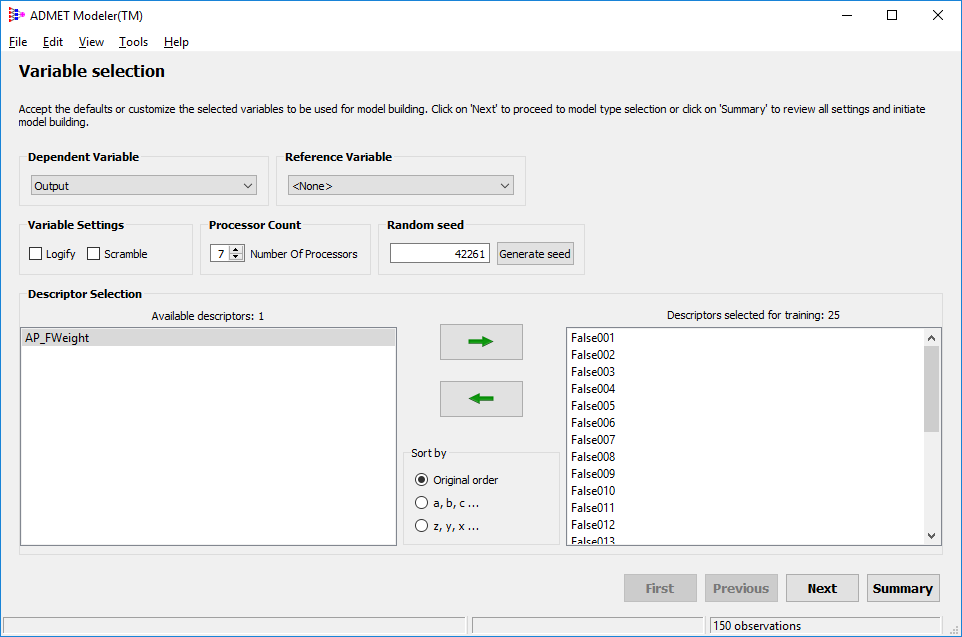
In the first window of ADMET Modeler, Output is displayed as a dependent variable, and all numeric descriptors are automatically listed. In the Available Descriptors (left) pane, select all the descriptors that start with "Input" or "False", and then click on the forward arrow button to move them to Descriptors selected for training (right) pane.
-
A different random seed is generated each time Modeler is launched. If you would like to obtain the same results as described here, type 42261 in the edit box and click Next.