

7.7.1. Loading the data
We downloaded the data of interest for Rat Liver Microsome in the Assay field from ChEMBL. The output can be found in the Tutorial/DELTA_Model folder in your ADMET Predictor application data directory. The spreadsheet provided there also includes an added GLB_RLM_CLint column to use as a stand-in for a standard global model you might use for predicting RLM CLint for new compounds.
-
Start the tutorial by loading the data, using FILE>>Open or the keyboard shortcut Ctrl+O to open the file selection dialog. Select CHEMBL3829797.xtk and click Open. The file contains 52 compounds, one of which (CHEMBL3827886) is hidden because experimental CLint values were not reported for it. We excluded this compound from "the full data set" for this analysis; it is included for completeness but hidden to simplify the workflow.
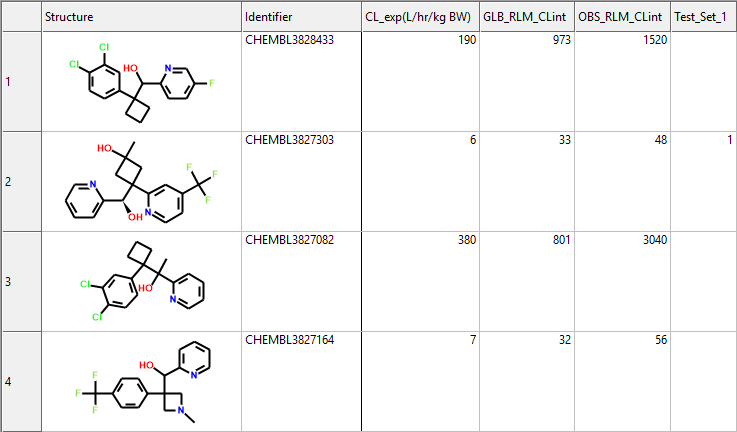
Gomtsyan et al. reported the experimental unbound clearance data in units of L/hr/kg of body weight, which are shown in the column headed CL_exp(L/hr/kg BW). The predictions from GLB_RLM_CLint, on the other hand, are in the more typical units of μL/min/mg RLM protein. The column headed OBS_RLM_CLint was added using the Equation option under [DATA >> Add compound attributes] to apply a scaling factor of 8.0; the equation file used (CLexp_to_CLint.cqf) is provided in the Tutorial/DELTA_Model folder.