

7.7.4. Constructing the DELTA Model
Now you are ready to construct a DELTA model from the difference between the global model predictions and the experimental values from the local data set. In ADMET Modeler, you can do that by specifying the global model (here, GLB_RLM_CLint) as a reference variable. Doing so parallels the workflow followed in building [Local_RLM_CLint].
-
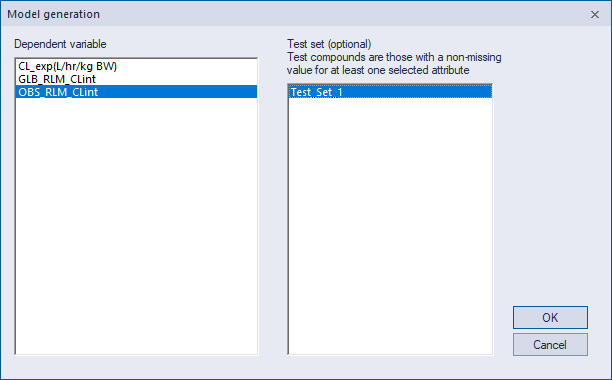
Again select OBS_RLM_CLint as the Dependent variable and attribute Test_Set_1 as the Test set. Recall that using Test_Set_1 makes apples-to-apples comparison of performance easier by keeping training pools and test sets the same across models.
-
Respond to any pop-up warnings that appear by clicking OK. The Variable Selection dialog will appear.
-
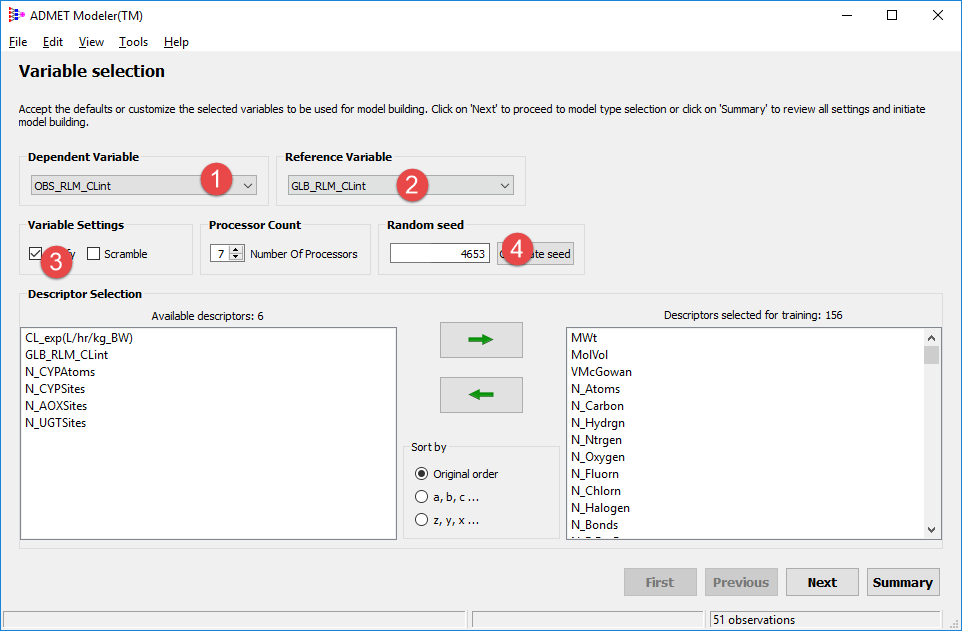
OBS_RLM_CLint should be the Dependent Variable (1). This time set the Reference Variable to GLB_RLM_CLint (2) as well as turning on the Logify (3) option. Entering 4653 again as your Random seed (4) will make results directly comparable between the local and DELTA models.
-
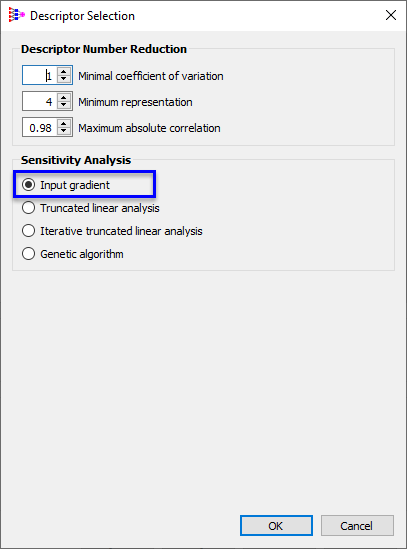
In next Modeling Protocol window, click on Settings... in Descriptor Selection area, select Input gradient in Sensitivity Analysis. Click OK.
-
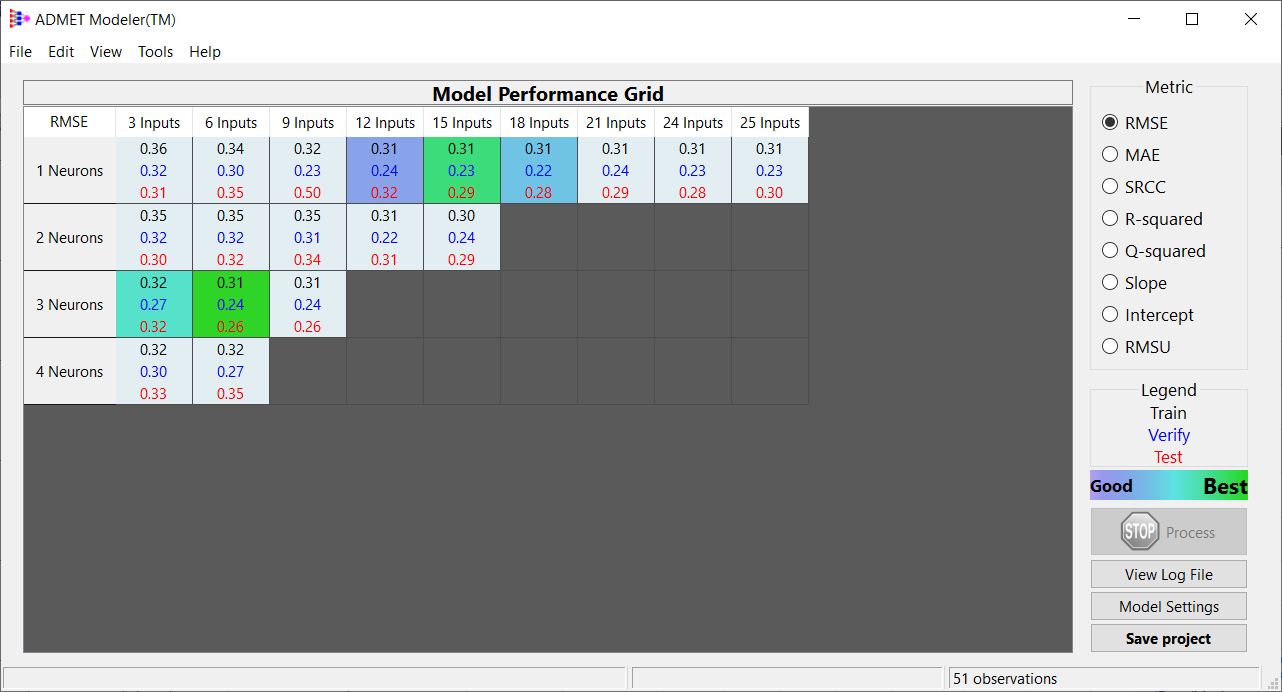
Check the Model settings summary (Test Set selection should be set to Manual and Input gradient should be the Descriptor selection method), then click Summary without changing any other settings. Next, Build an ANNE regression model. When prompted for a project name, enter DELTA_CLint. The model run should finish within few seconds. When the model building is complete the best 5 models will be highlighted from the best of the best (green) to the least good of the best (blue). The statistical metric shown in this Model Performance Grid represents the results for error model and NOT for the DELTA Model.
-
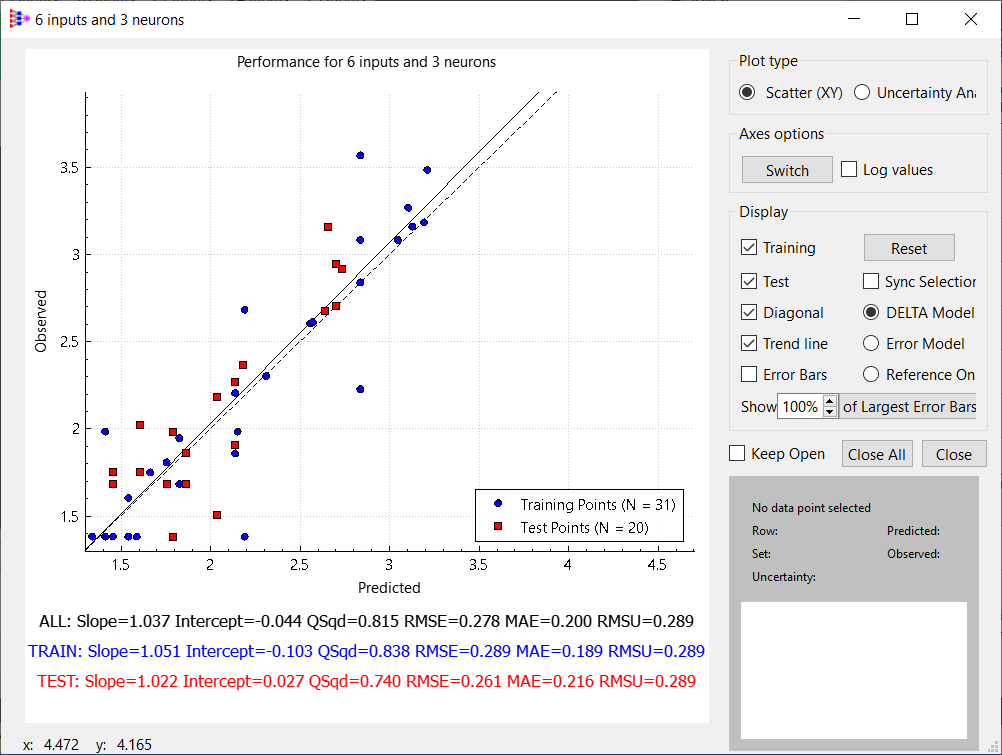
Examine the results by clicking on the best model, i.e., the one with 6 inputs and 3 neurons. By default, the plot shows the full Delta Model - i.e., the sum of the reference variable and the predicted difference. Switching to the Error Model view will show how well the deviation from the reference model is accounted for. Switching to the Reference Only view will show how well the naive global model predictions fit the experimental data. GLB_HLM_CLint accounts for most of the clearance, so the range of the dependent variable in the Error Model decreases a lot but the RMSE and MAE do not change relative to DELTA model.
-
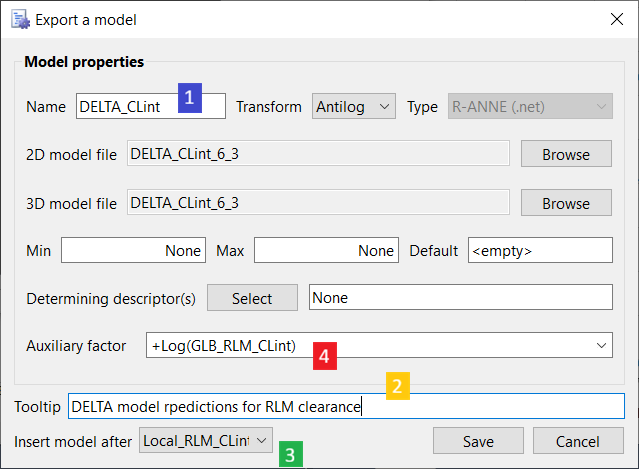
Export the model with 6 inputs and 3 neurons. Name it DELTA_CLint (1) and add an appropriate Tooltip (2). Insert the new model after the Local_RLM_CLint model that you created previously (3). Note that +Log(GLB_RLM_CLint) has been supplied as an Auxiliary factor. It will be added to the prediction from the underlying perturbation model before the Antilog transform is applied.
-
Click Save, then close ADMET Modeler to return to ADMET Predictor; do not save the project. When asked if you would like to recalculate ADMET Properties, select Yes and opt to evaluate all User models.