

4.6.1. Molecular Similarity
The similarity screening feature allows you to find all compounds with high structural similarity to a reference compound of interest. Similarity calculations are based on the matched molecular pair approach described in the Generate pairs section, which uses maximum common substructures rather than traditional fingerprints. This has the advantage of allowing similar compounds to be aligned, with their structural differences highlighted.
To perform a similarity search, select the reference compound in the Compounds tab and use CHEMISTRY>>Find Similar Compounds or the corresponding balance icon in the toolbar:

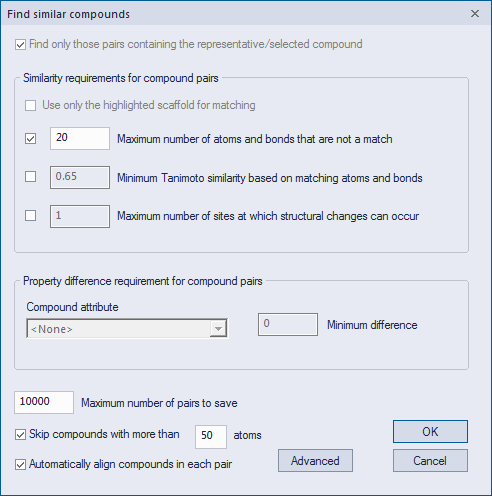
The Find Similar Compounds dialog that is launched allows you to specify a number of options and parameters. These are the same as those described in the Generate pairs section.
Once a similarity screen is performed, all similar compounds become selected and are moved to the top of the spreadsheet, just below the reference compound, in order of decreasing similarity. Activating the Pairs tab allows you to view the similarity scores, as well as to see, via structural highlighting, the differences between the similar compounds and the reference.