

Adding Another Logical Expression to an Existing Rule
To add multiple logical expressions to a rule, you must use the logical Boolean operators of AND, OR, or NOT.
-
In the Logical operators area, click on the OR operator.
-
In the Descriptors/Properties list, scroll to and select the SHsOH descriptor.
-
In the Range operators area, select the Greater Than (>) operator.
-
In the Threshold area, Lower field, enter 5. Leave Upper empty.
-
Click Add value(s).
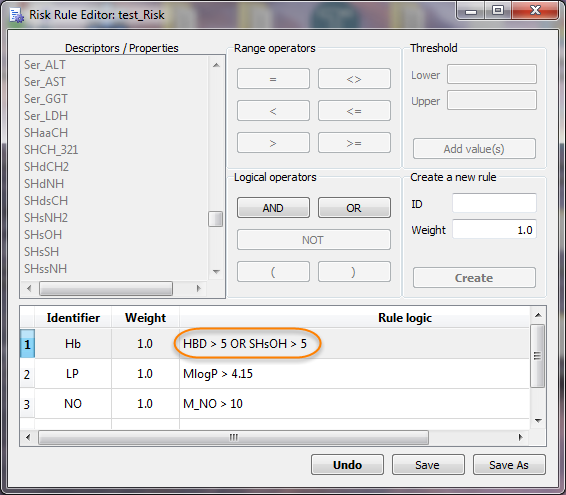
The Hb rule is updated with the logical expression for the SHsOH descriptor.
-
Continue to “Adding a new rule based on molal volume”.