

Modifying the Rule for Hydrogen Bond Donors
-
If you closed Risk Rule Editor: New Risk Model, as indicated in previous section (here), open Model Editor through TOOLS >> Model Editor..., scroll down to test_Risk model and right click. Select option Edit 'Risk' rules.
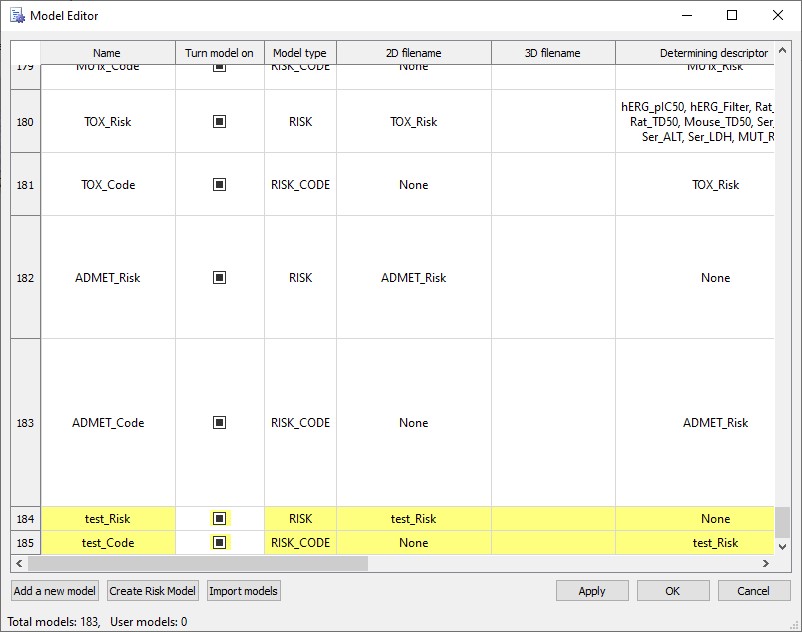
This will open Risk Rule Editor: test_Risk window.
-
In the lower pane of the Risk Rule Editor: test_Risk window, select the Hb rule, right click and select Clear tokens. This option will remove the Rule logic entry without deleting the rule itself.
NOTE:
Before you click on either Clear tokens or Delete rule, verify that you have selected the correct rule for modification as you are not prompted to confirm the action.
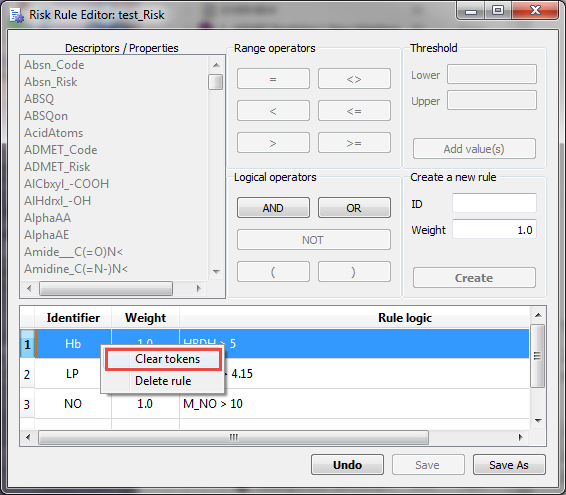
The Hb rule logic should be blank now.
-
Do the following to select a descriptor and set its parameters for the new rule:
• In the Descriptors/Properties list, scroll to and select the HBD descriptor.
• In the Range operators are, select the Greater Than (>) operator.
• In the Threshold area, Lower field enter 5 leaving the Upper field empty, click Add value(s).
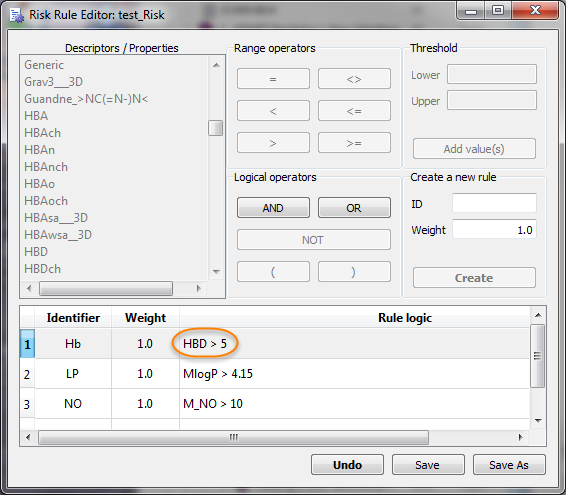
The new Hb rule is updated with this descriptor in the bottom pane of the Risk Rule Editor: test_Risk window. The rule is automatically selected.