

Exporting a Model
The primary goal of building a model is to use it later to predict the properties of new structures in ADMET Predictor. Select the best model ensemble. Now you can do two things to make the model ready for use in ADMET Predictor. First, you provide information about this new model to ADMET Predictor. Second, you export the model to ADMET Predictor.
-
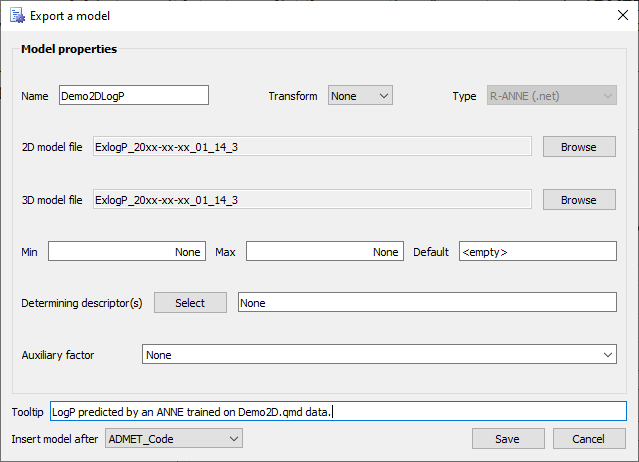
Right click the cell that displays the best model (the cell highlighted in green, in this example 3 neurons and 14 descriptors). Select the option Export model. The Export a model dialog box will open.
-
Do the following to name and identify the new predictive model:
- in the Name field enter Demo2DLogP
- in the Tooltip field enter LogP predicted by an ANNE trained on Demo2D.qmd data.
-
Click Save.
-
Continue to Applying the New Predictive Model.