

Modeling Protocol
-
In the second window click on Settings ... in Test Set Selection area.
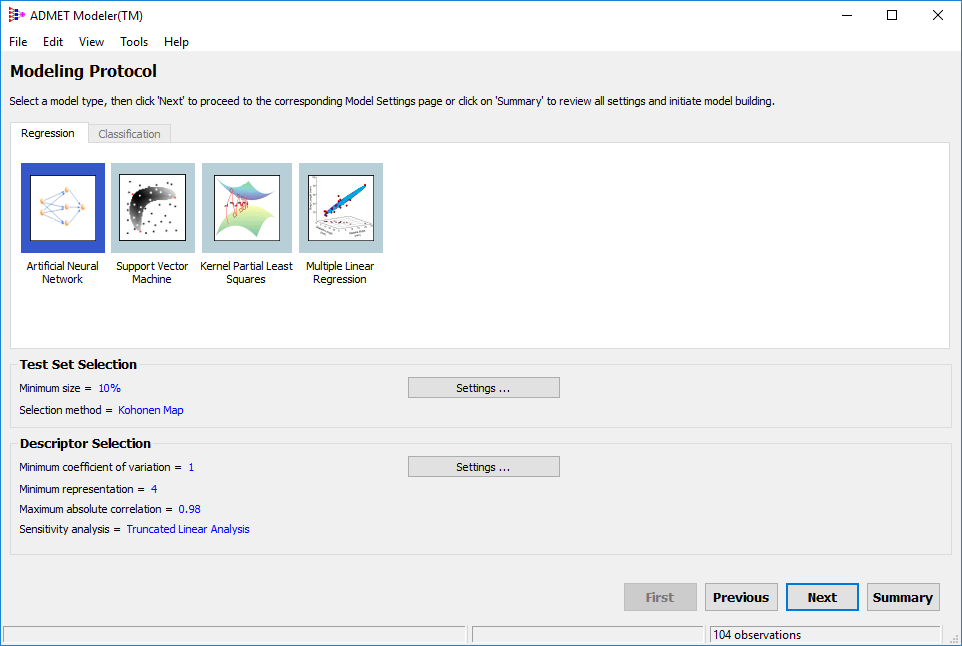
-
Familiarize yourself with the options, then accept all defaults and click OK.
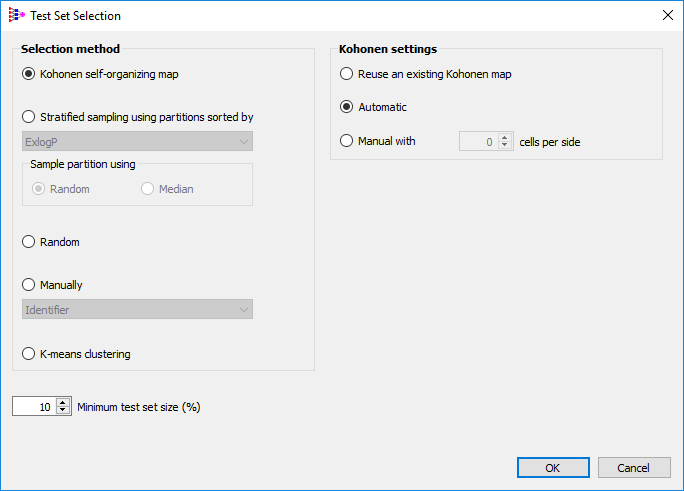
-
Click on Settings... in Descriptor Selection area, change Minimum representation to 5 and select Input gradient in Sensitivity Analysis. Click OK.
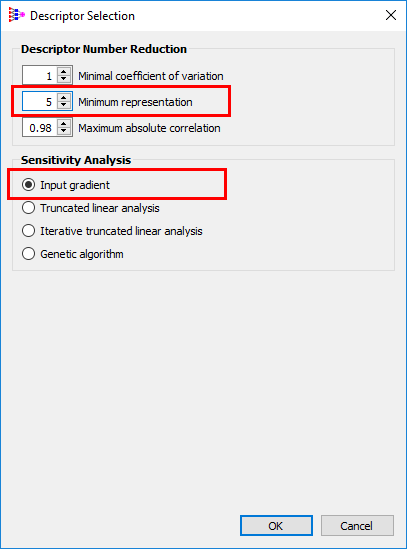
-
You should see the changes on the main window:
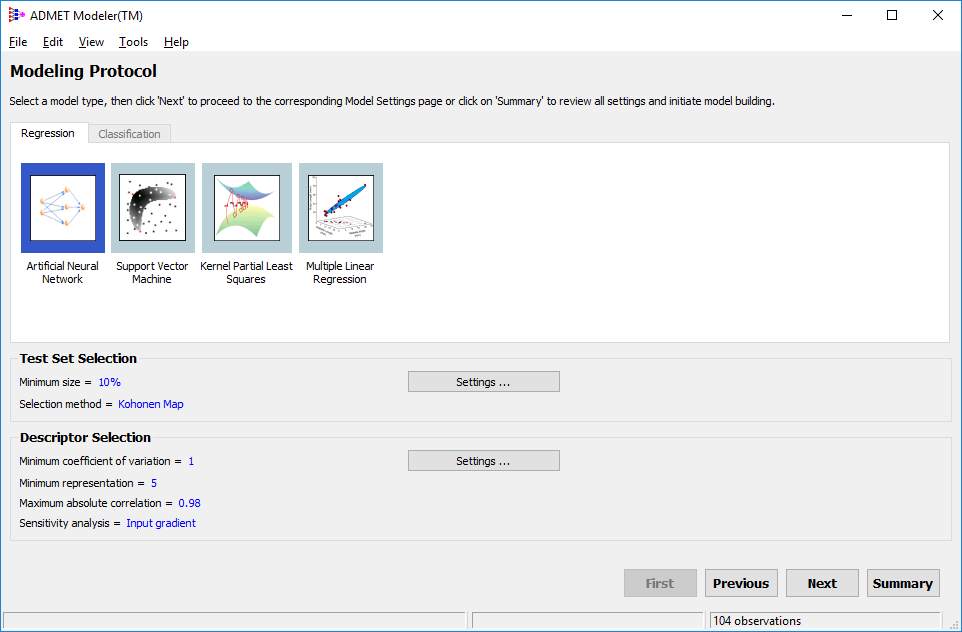
-
Click Next.