

If ADMET Modeler is already open, you will have to close it before you can run this tutorial. Be sure to save your work first if necessary.
-
Repeat the following procedures from the previous tutorial, which used input gradient descriptor selection:
-
Load molecular structures and calculation of molecular descriptors and properties (here)
-
Use the basic Modeler settings described in the first tutorial but use 72459 as the Random seed to get the results described below.
On the second page Modeling Protocol:** **
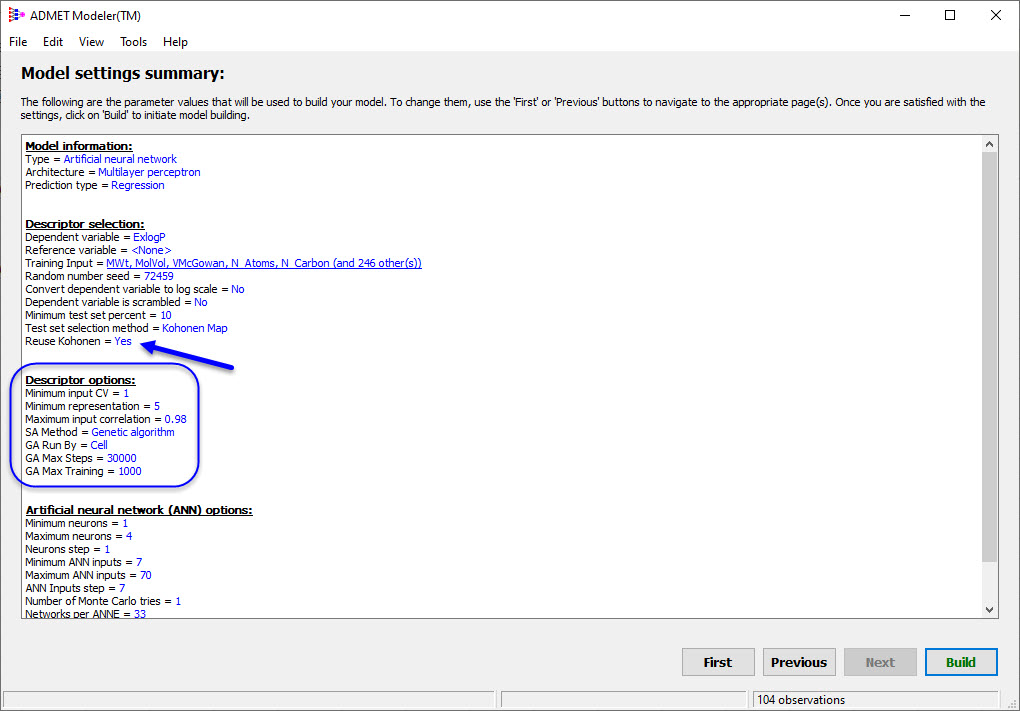
2. Here we want to use the Kohonen map from the first Modeler tutorial. To do so, click on the Settings... button in the Test Set Selection section of the dialog and turn ON the Reuse an existing Kohonen map item. Reusing the map serves two purposes:
-
it saves the time needed to recalculate the Kohonen map. This is not critical here but it can become important for large data sets.
-
it results in the same test sets being produced as in the first modeling run, which means a more fair and accurate comparison of the two modeling runs.
-
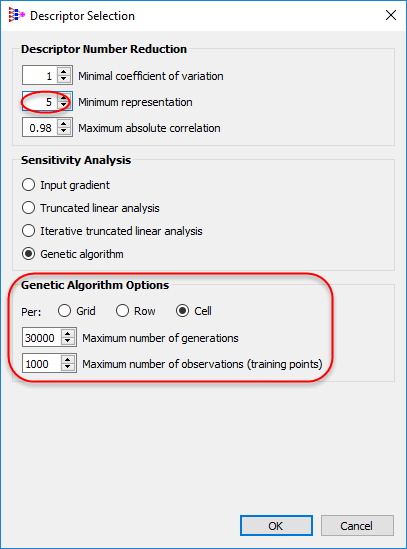
Click on Settings... in Descriptor Selection area to change Minimum representation to 5, select Genetic Algorithm in Sensitivity Analysis and Per Cell in Genetic Algorithm Options. Click OK.
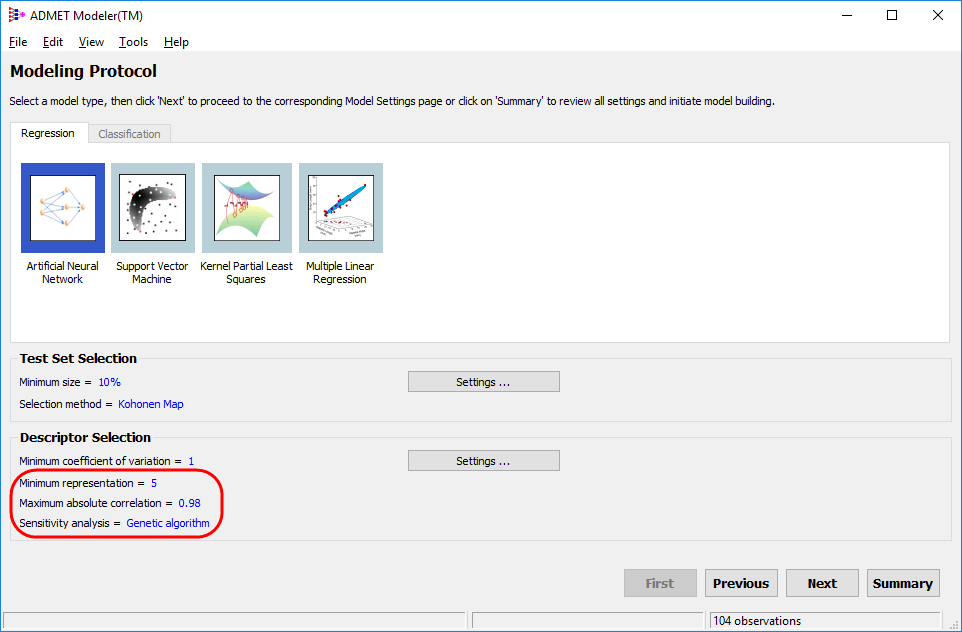
Check to see that the changes are reflected in the Descriptor Selection field of the main window, then click on Next.
-
Set the maximum number of ANN inputs to 70, as was done in the "ANN Settings" section of the first Modeler tutorial. When you click on Summary, you should see:
-
Continue to the next step, "Building the models".