

3.2.4. Model Settings Summary
The Model settings summary page lists all the model building parameters chosen on previous screens. If any of the values shown seem inappropriate, they can be adjusted by pressing the Previous or First button to navigate back to earlier pages.
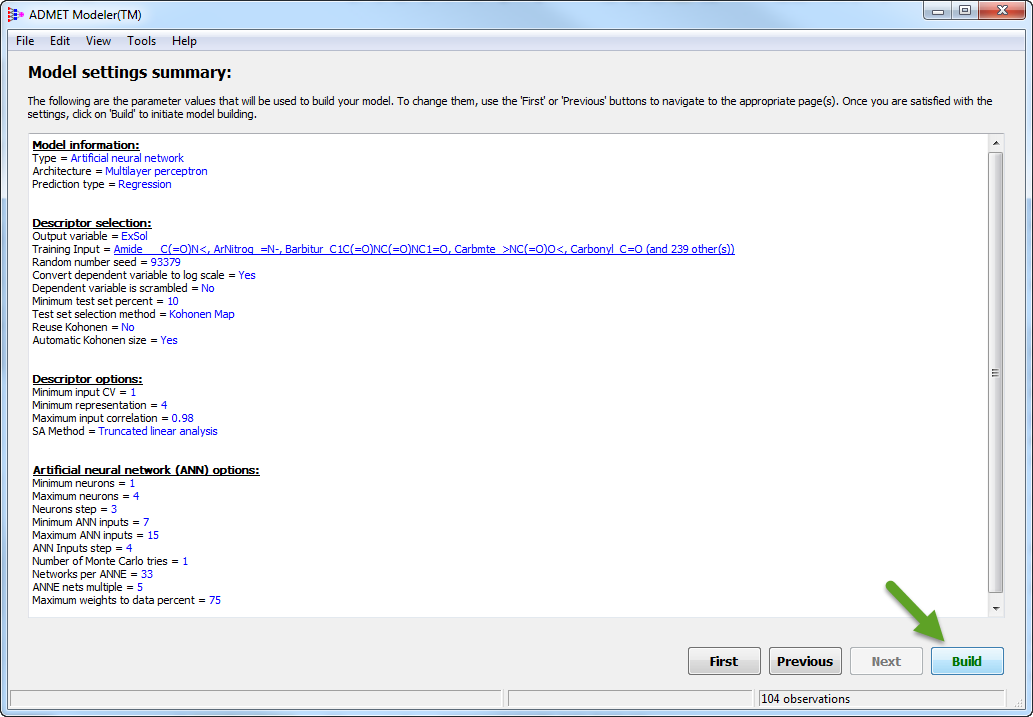
If you are satisfied with the settings, click on the Build button to start the model building process. You will be prompted to supply a project name as the first step in that process. The default project name provided is based on the dependent variable selected, the date and a build count, but you are free to change that if you wish.
If you are building an ANNE classification model, you will then be prompted to choose the label that corresponds to the negative class, which is needed to properly assign the sensitivity and specificity performance statistics. If one class name starts with "NO", "Neg", "low" or "inactive" (disregarding case), that class will be selected by default. Otherwise the selection will default to the name of the larger class.