

1.12.7. Copying, Printing and Exporting Data
Charts can be copied to the clipboard or saved to an external file. To do so, right click on the chart and choose Export Dialog... from the context menu that pops up. Doing so will launch the Exporting dialog:
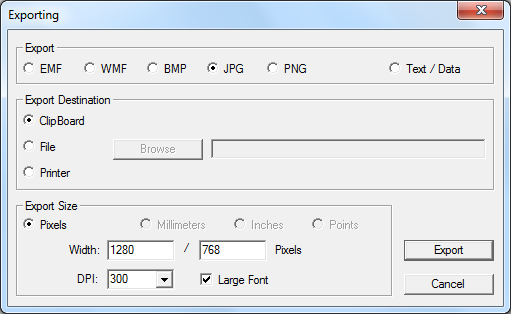
Charts are saved to the clipboard as images by default. Select the Text/Data option to save or copy the underlying data instead of the image.
Note: the relationship between the selected file type (EMF, WMF, etc.) and what goes into the clipboard is complex. In particular, selecting PNG as the "file type" when saving to the clipboard will result in the image failing to "Paste" into some programs.